Microsoft 365, alongside the computers you support.
A new starter, a full mailbox or a leaver request often involves more than one system. Vycko brings Microsoft 365 work into the customer's workspace, so the people, licences and computers can be handled with the same support context.
Prepare for Monday. Close access when someone leaves.
A starter request arrives through the portal. The technician creates the Microsoft 365 account with the appropriate licence and groups, prepares the usual software and checks the laptop. The request and conversation stay with the customer.
- Create users, assign licences and manage group membership.
- For leavers, block sign-in, sign out active sessions, remove licences and set an automatic reply.
- Keep a supported mailbox as shared when that is the agreed next step.
- Irreversible steps wait for a person; Microsoft 365 changes use the applicable fresh-code controls.
Spot a full mailbox before it stops the work
The accounts mailbox is nearly full. The warning appears before the team starts receiving delivery failures, giving the technician a chance to review the mailbox and choose the permitted next step.
- Review mailbox size, shared mailboxes, permissions, forwarding, archive and automatic replies.
- Use message trace and inbox-rule information to investigate delivery problems.
- See licence availability and unused licences before making a change.
- Confirm the connected tenant, granted permissions and supported actions during setup.
Put unusual account activity in front of the right person
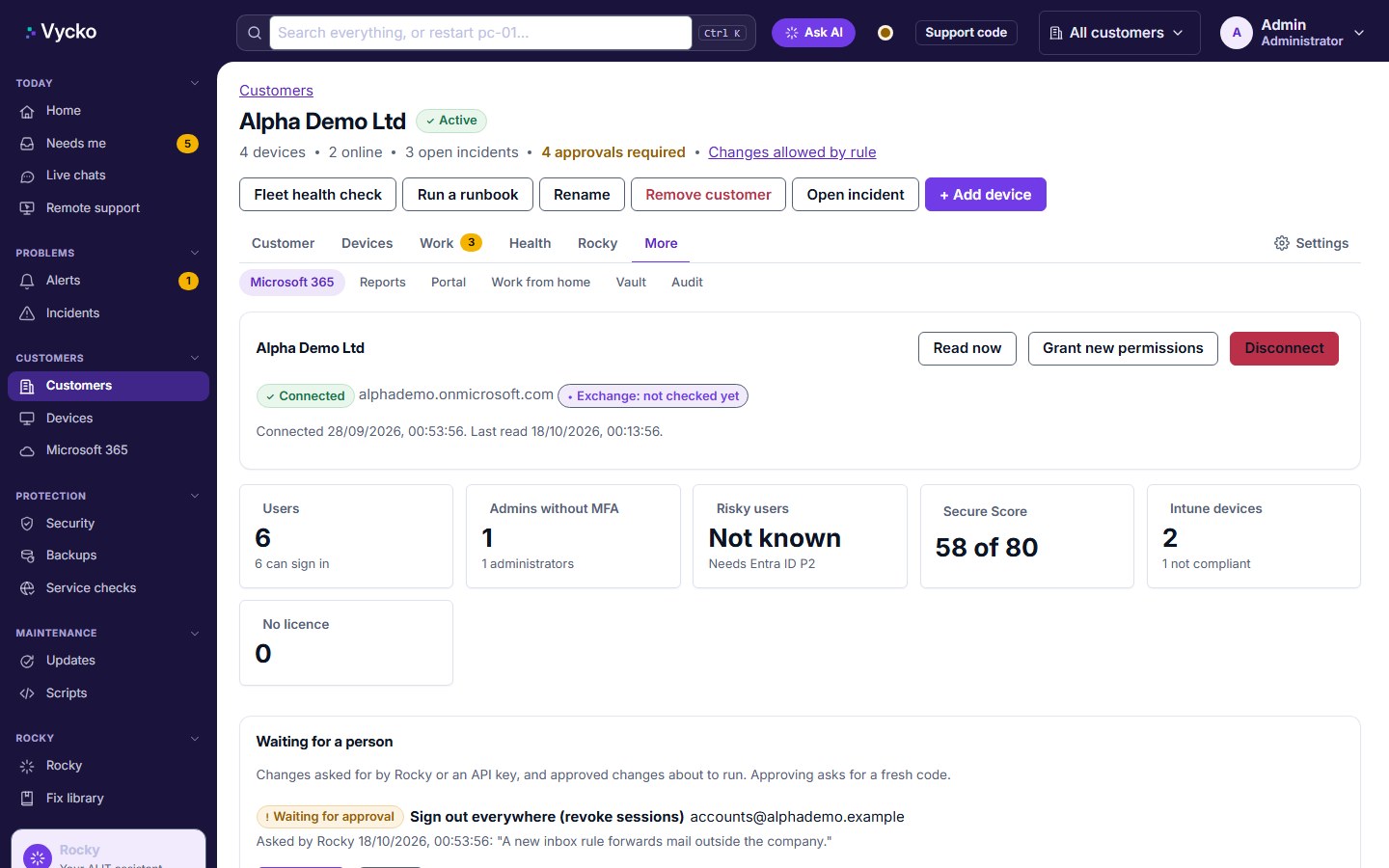
An alert identifies a new rule forwarding mail outside the company. The technician can investigate the rule, review sign-in evidence and make an authorised response, with the steps recorded.
- Review MFA setup, risky users, sign-in logs and service health.
- See supported alerts for an administrator without MFA or a new Global Admin.
- Intune wipe and retire actions require approval.
- These are management and investigation tools; they do not guarantee that every compromise is detected or prevented.
See Vycko working.
Bring the jobs you want to make easier. We’ll show you the relevant workflows.
Newark Solutions Ltd trading as Vycko