
Rocky takes the first look. Your team stays in control.
Rocky looks after routine computer problems and checks his work. If he can’t resolve an issue, a human technician gets the findings and steps already tried. Repairs completed by technicians can become approved fixes for Rocky to use next time.

From a warning to a checked result
Rocky takes the first look at an alert, then fixes, watches or hands it over according to the company's and customer's rules. Reviewed fixes cover supported everyday faults such as print queues, Outlook, OneDrive, network checks and disk housekeeping.
- Understand the available evidence before choosing a repair.
- Run an eligible reviewed fix within the configured rules.
- Check the outcome. If a technical check cannot confirm it, ask the user and follow up.
- Give the technician the findings, attempted work and anything still unconfirmed.
A printer stops before the day gets going
Reception reports a stuck printer from the taskbar chat. For example, Rocky checks the print spooler, clears the stuck queue and restarts the service, then checks the queue and asks whether printing is working. A failed or unconfirmed repair goes to a person with the notes.
- Users can add a screenshot and choose when to send it.
- This is an example of a supported workflow, not a promise that every printing fault has the same cause or repair time.
Learn from the repairs your technicians complete
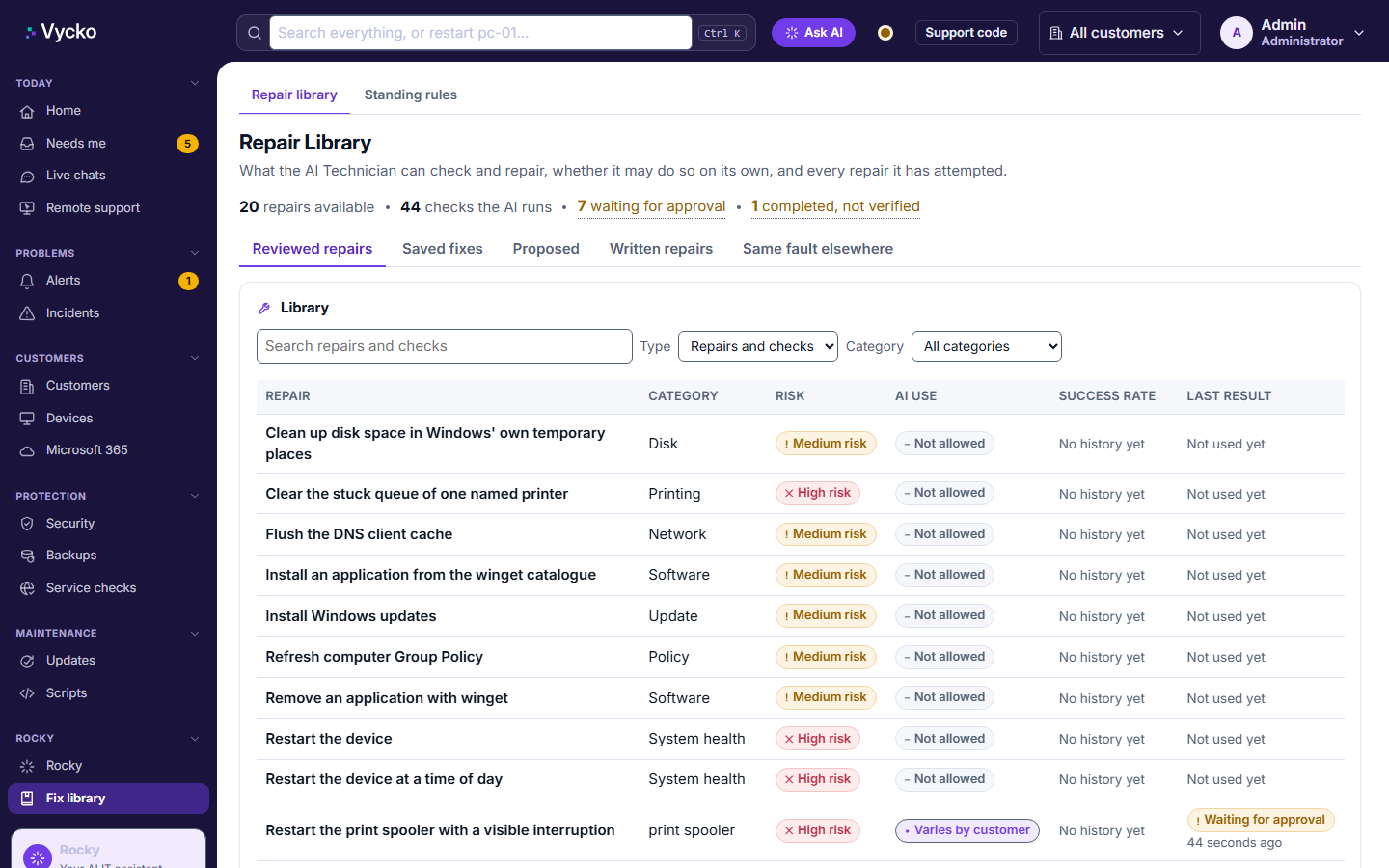
When a technician solves a problem Rocky could not fix, Rocky can turn their repair notes into a proposed fix. A technician reviews and approves it before it enters the repair library.
Once approved and enabled, Rocky can use that fix automatically when the same issue returns, within the customer’s settings. Repairs worked out through ChatGPT can also be saved for review and later use.
- A successful repair on one computer can identify the same fault on others.
- A person approves the exact target list before the wider repair.
- Rocky tracks returning problems and can pause a fix that repeatedly fails.
Choose what Rocky may do
Choose which repairs Rocky may run automatically, which need approval and which are off. Settings can differ for each customer. You can pause automation for a computer, a customer or the whole platform.
- Rocky uses reviewed actions and approved scripts rather than an open command line.
- Suggested standing rules require administrator approval and a fresh code. Restarts and security changes do not qualify.
- Monthly, daily and per-alert AI limits control background spending.
- October additions are rolling out. We will confirm enabled workflows and device support during the demonstration.
See Vycko working.
Bring the jobs you want to make easier. We’ll show you the relevant workflows.
Newark Solutions Ltd trading as Vycko